MongoDB 5.0 for Orange Pi (ARM64)
Precompiled MongoDB server binary for ARM64 single-board computers

Project Overview
This project provides a precompiled MongoDB 5.0.24 server binary for Orange Pi devices running ARM64 Linux. MongoDB does not officially distribute ARM64 builds for single-board computers, so this community build fills that gap by cross-compiling mongod for AArch64 architecture.
The binary is a dynamically linked ELF 64-bit executable built against OpenSSL 1.1 and glibc, compatible with Ubuntu 20.04/22.04 and Debian 11 (bullseye) on ARM64. It has been tested and verified on Orange Pi hardware with kernel version 3.7 and above.
The distribution includes only the mongod server binary, keeping the package lightweight and focused for embedded and IoT deployment scenarios.
Technical Specifications
Technologies Used
Project Details
- Category
- Infrastructure & DevOps
- Development Year
- 2025
- Status
- Completed
Code Examples
Performance Metrics
Technical Challenges & Solutions
Project Impact
Project Gallery

ARM64 AArch64 architecture with Linux kernel 3.7+ support
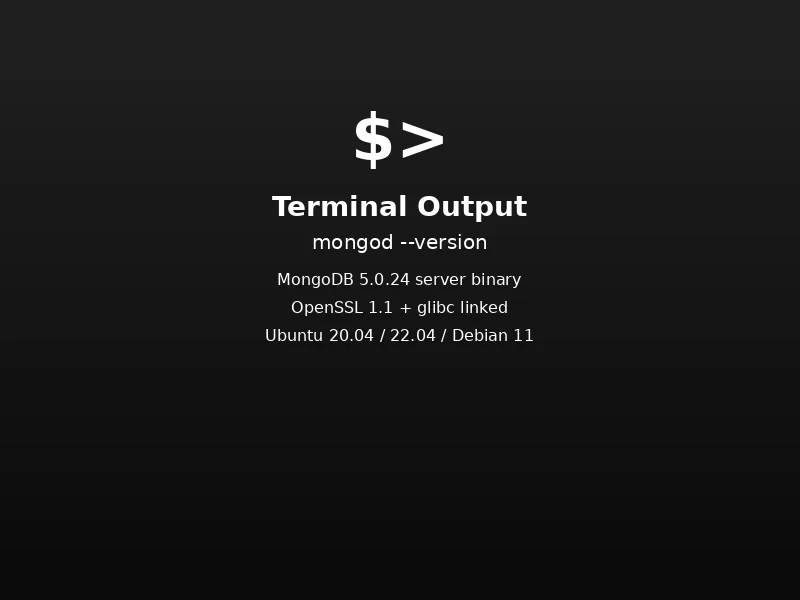
MongoDB 5.0.24 running on Ubuntu/Debian ARM64
Detailed Project Documentation
Background & Context
MongoDB is one of the most popular NoSQL databases, but official ARM64 builds are not available for single-board computers like the Orange Pi. Developers and hobbyists working on IoT projects, home servers, or edge computing solutions on ARM64 hardware are left without a straightforward way to run MongoDB.
This project fills that gap by providing a precompiled MongoDB 5.0.24 server binary specifically built for ARM64 (AArch64) Linux, tested and verified on Orange Pi devices.
Problem Statement
Running MongoDB on ARM64 single-board computers presents several challenges:
- No Official Builds: MongoDB, Inc. does not distribute ARM64 binaries for single-board computers
- Complex Compilation: Building MongoDB from source is resource-intensive and requires specific toolchains
- Dependency Management: Ensuring correct library versions (especially OpenSSL) across different Linux distributions
- Limited Documentation: Scarce guidance on running MongoDB in embedded ARM64 environments
Solution Approach
This project addresses these challenges by:
- Precompiled Binary: Cross-compiled MongoDB 5.0.24
mongodbinary ready for immediate use - Minimal Footprint: Ships only the server binary, keeping the package lightweight for embedded use
- Broad Compatibility: Tested on Ubuntu 20.04, Ubuntu 22.04, and Debian 11 (bullseye) ARM64
- Clear Documentation: Step-by-step installation and usage instructions with dependency details
Build Information
| Property | Value |
|---|---|
| MongoDB Version | 5.0.24 |
| Architecture | ARM64 (AArch64) |
| Binary Type | ELF 64-bit LSB PIE executable |
| Linking | Dynamic (glibc) |
| Crypto Library | OpenSSL 1.1 |
| Kernel Compatibility | Linux 3.7+ |
Tested Operating Systems
- Ubuntu 20.04 (ARM64)
- Ubuntu 22.04 (ARM64)
- Debian GNU/Linux 11 (bullseye)
Package Contents
mongodb-orangepi/
├── bin/
│   └── mongod
├── README.md
├── LICENSE
└── VERSION
Runtime Dependencies
The following system libraries must be present:
- libc6
- libstdc++6
- libgcc-s1
- libssl1.1
- libcrypto1.1
- libpthread
- libdl
- libm
Installation
# Download the release archive
mongodb-r5.0.24-orangepi-arm64.tar.gz

# Extract the archive
tar -xzf mongodb-r5.0.24-orangepi-arm64.tar.gz
cd mongodb-orangepi

# Ensure the binary is executable
chmod +x bin/mongod

# Copy the binary to a system path
sudo cp bin/mongod /usr/local/bin/
Usage
# Create data and logs directories
sudo mkdir -p /var/lib/mongo
sudo mkdir -p /var/log/mongodb

# Set correct ownership
sudo chown -R $(whoami):$(whoami) /var/lib/mongo
sudo chown -R $(whoami):$(whoami) /var/log/mongodb

# Start the server in the background
mongod --dbpath /var/lib/mongo --logpath \
    /var/log/mongodb/mongod.log --fork

# Verify the version
mongod --version
Installing Dependencies on Ubuntu / Debian ARM64
sudo apt update
sudo apt install libc6 libstdc++6 libgcc-s1 libssl1.1
Note: Ubuntu 24.04 does not ship OpenSSL 1.1 by default. You must install OpenSSL 1.1 compatibility packages for this binary to work.
Challenges & Solutions
Challenge 1: No Official ARM64 Builds
Problem: MongoDB does not provide official ARM64 binaries for single-board computers like the Orange Pi Solution:
- Cross-compiled MongoDB 5.0.24 from source targeting AArch64 architecture
- Used dynamic linking against glibc for broad compatibility
- Verified the binary on multiple ARM64 Linux distributions
Challenge 2: OpenSSL Version Compatibility
Problem: Newer Linux distributions (Ubuntu 24.04+) ship OpenSSL 3.0 by default, but MongoDB 5.0 requires OpenSSL 1.1 Solution:
- Documented the OpenSSL 1.1 dependency clearly
- Provided instructions for installing compatibility packages on newer distributions
- Built against OpenSSL 1.1 for maximum compatibility across tested OS versions
Challenge 3: Keeping the Package Lightweight
Problem: Full MongoDB distributions include developer tools, test frameworks, and shell utilities that are unnecessary for server-only deployments Solution:
- Distributed only the
mongodserver binary - Excluded
resmoke,mongoshell, and other non-essential components - Minimized the archive size for efficient download on constrained networks
Important Notes
- This release provides the MongoDB server (
mongod) only - The MongoDB shell (
mongo/mongosh) is not included - This is a community-maintained build and is not officially supported by MongoDB, Inc.
License
MongoDB is licensed under the Server Side Public License (SSPL). The full license text is included in the LICENSE file of the distribution.